Overview
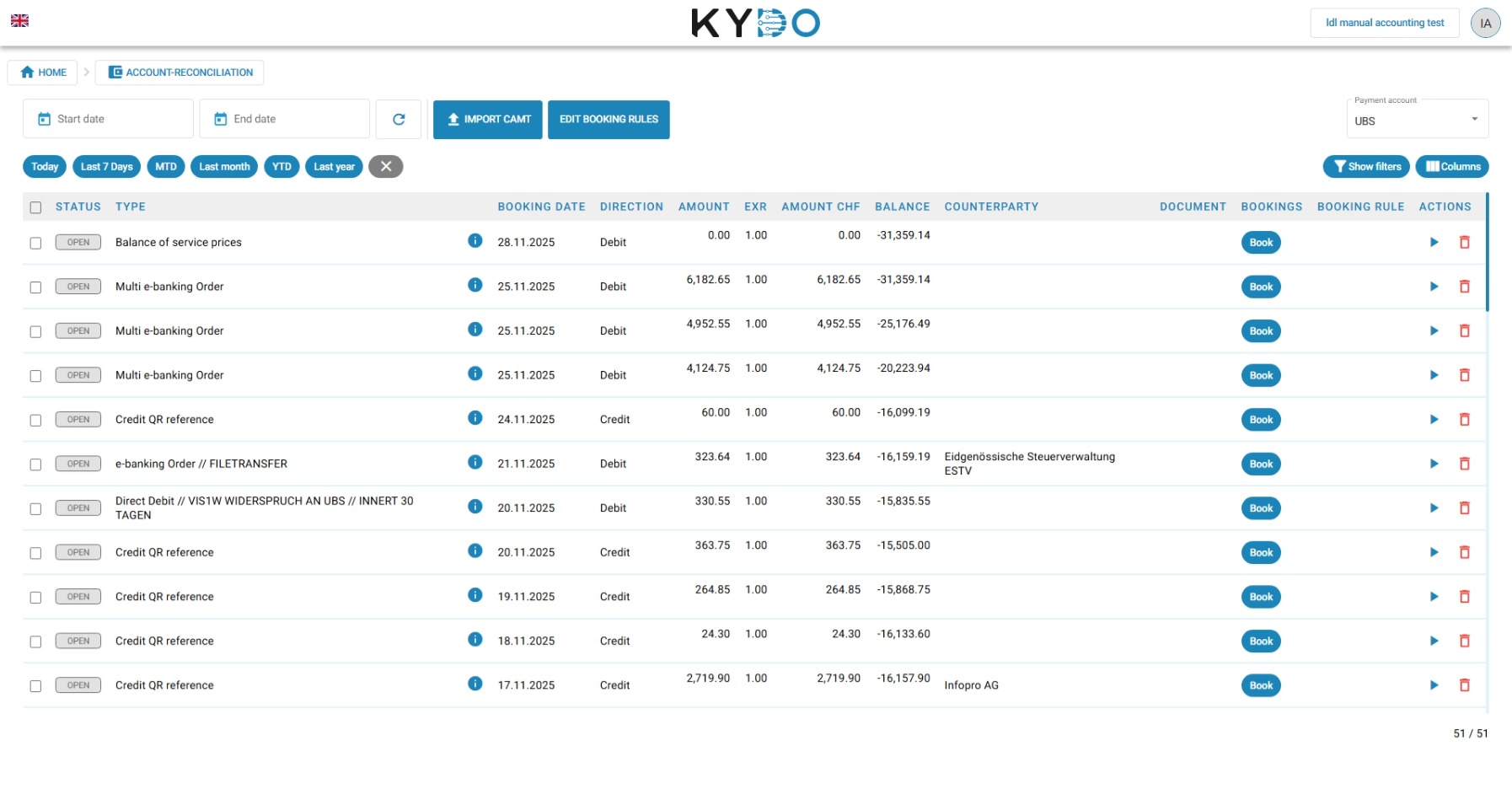
With the Reconciliation module you can import bank transaction data into KYDO and match each transaction against the corresponding document. When a match is found, KYDO marks the document as paid or partially paid.
Importing transactions
KYDO accepts bank exports in CAMT format. You can import:
- A single CAMT file
- A ZIP archive containing only CAMT files
To import, go to the Reconciliation module and drag your file onto the drop zone, or click it to browse for a file. KYDO parses all transactions from the file and processes them immediately.
Booking rules
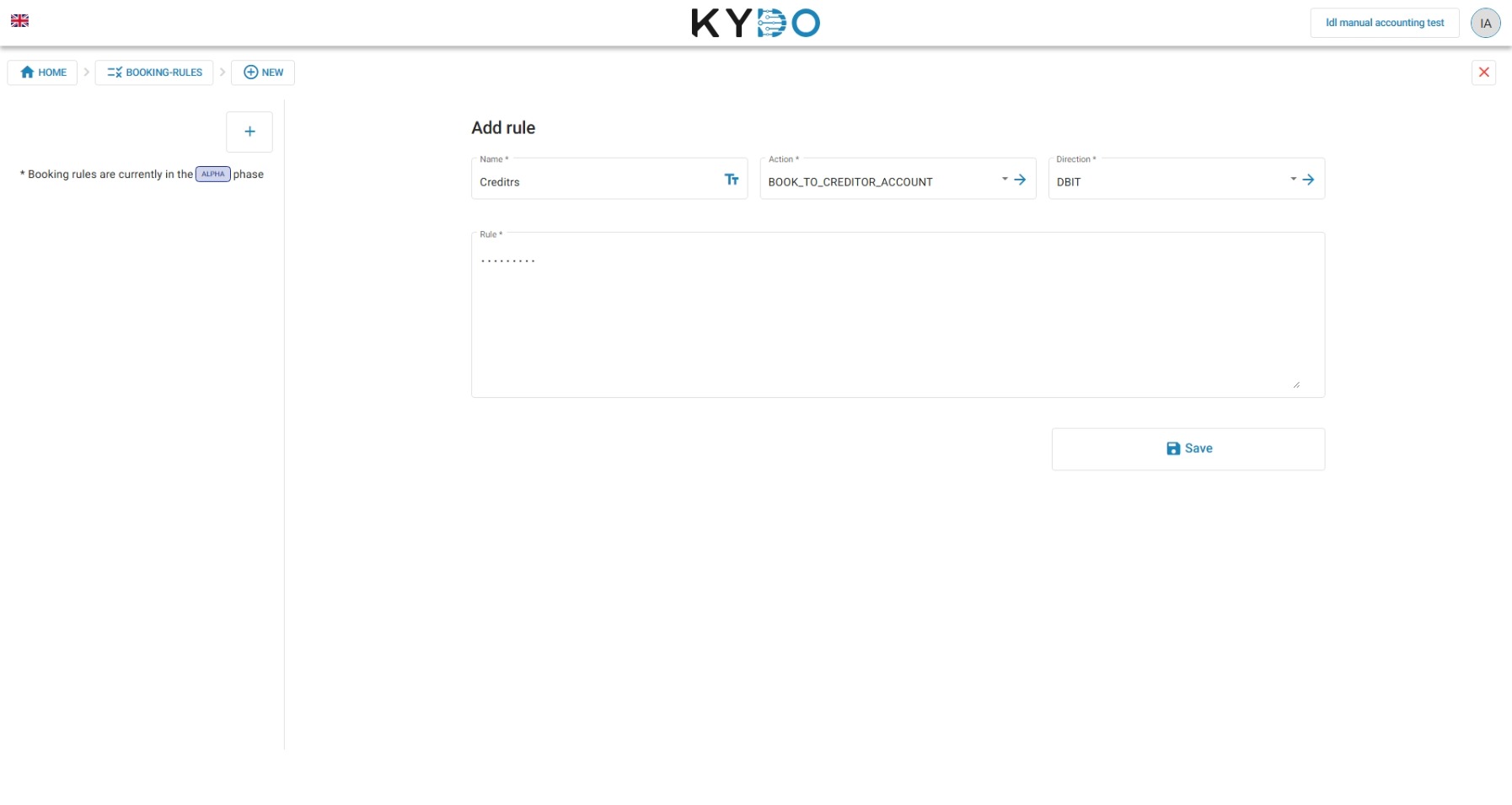
Booking rules define how KYDO automatically matches imported transactions with documents. When a transaction is imported, KYDO applies the configured rules and attempts to find a match.
If a match is found, the linked document is set to paid or partially paid automatically.
Booking rules are flexible but require careful configuration. We recommend setting them up together with the KYDO team. This part of the module will receive updates in future releases.
Contact us to configure your booking rules
Manual matching
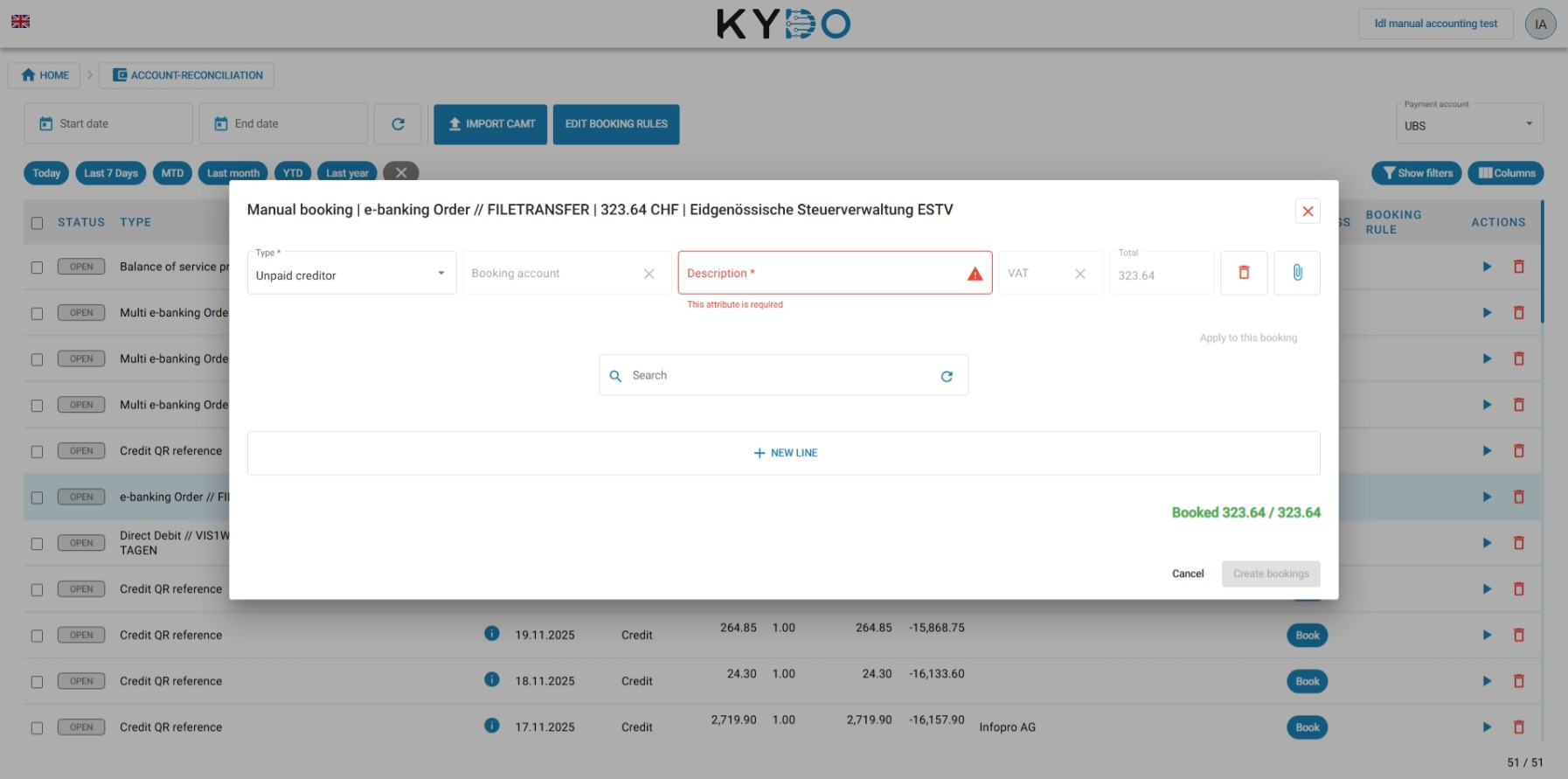
When a transaction cannot be matched automatically, you can assign it manually using the manual booking mask.
In the booking mask you can:
- Select the transaction to assign
- Search for and link the corresponding document
- Confirm the match to update the payment status
Frequently Asked Questions
What file format does KYDO accept for bank imports? KYDO accepts CAMT files — a standard Swiss/European bank export format (ISO 20022). You can import a single CAMT file or a ZIP archive containing multiple CAMT files.
What is a booking rule? A booking rule tells KYDO how to automatically match an imported bank transaction to a document. When a match is found, the document is marked as paid or partially paid without manual intervention.
What happens if a transaction cannot be matched automatically? You can assign it manually using the booking mask — search for the corresponding document and confirm the match.
Do I need the Reconciliation module if I use an external accounting system? Not necessarily. If your accounting software handles reconciliation, KYDO can sync payment statuses from there instead. Reconciliation in KYDO is primarily useful for manual accounting setups.