What is a list?
A list is a collection of values you define once and reuse across your doc types. Instead of typing a value manually each time, the user picks from a dropdown — and can search within it.
For example, a list called Suppliers might contain entries like "Acme AG", "Swiss Post", and "Swisscom". Any doc type field that references this list will show a searchable dropdown with those options.
Creating a list
- From the home screen, click the Properties card.
- Switch to the Lists tab.
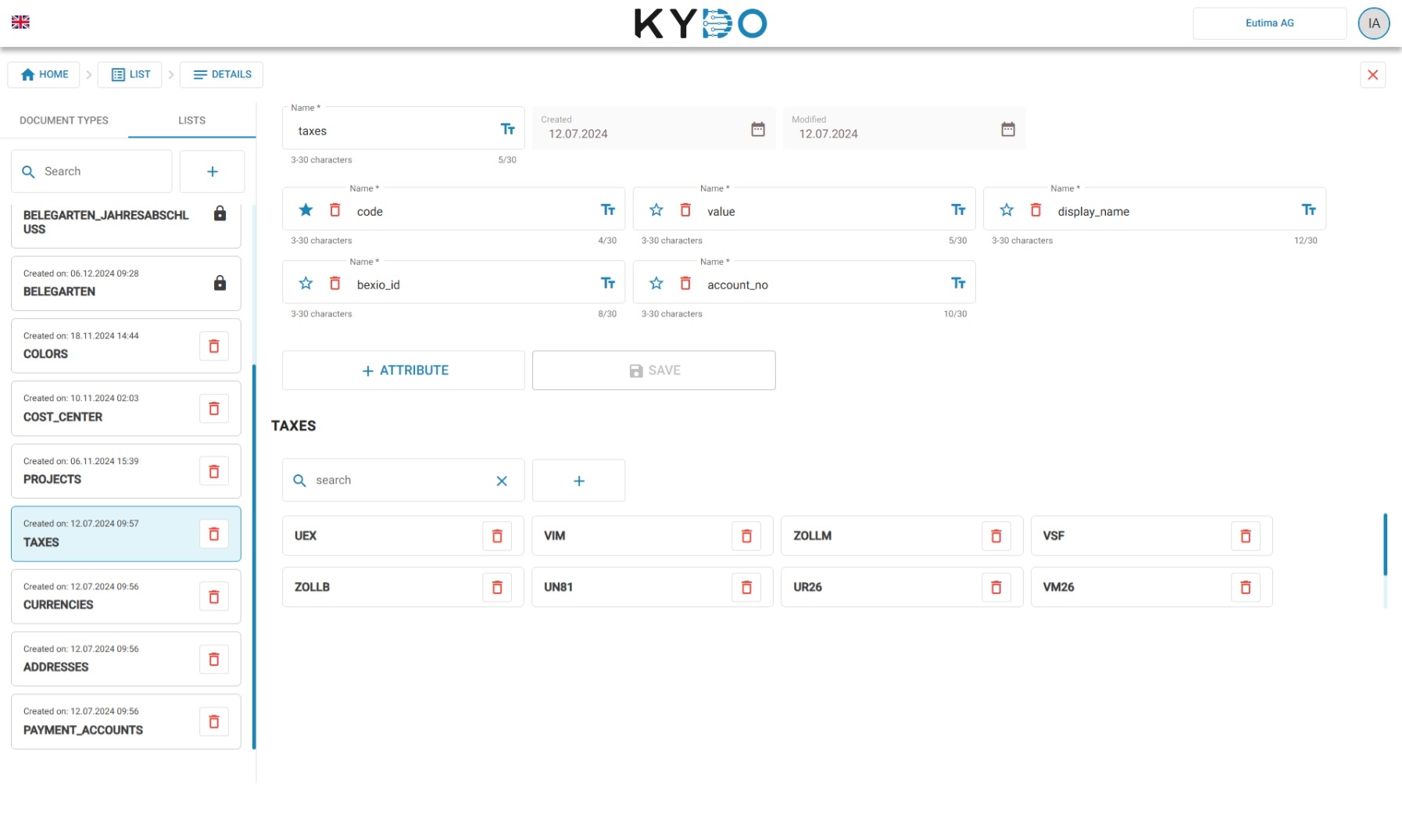
- Click the + button to create a new list and define its structure.
- Once the structure is saved, add your data below — each row is an entry users will be able to select.
Using a list in a doc type
When configuring a doc type field, you can set a reference to a list. The field will then appear as a searchable dropdown populated with the list's data.
→ See Doc Types for more details on how to reference a list from a field.
Frequently Asked Questions
What is a list in KYDO? A list is a set of predefined values that users select from a dropdown when filing documents. It replaces free-text input with a controlled set of options, keeping data consistent across documents.
What is the difference between a list and a doc type field? A field defines what information to collect. A list defines the allowed values for that field. A field references a list to turn a free-text input into a searchable dropdown.
Can one list be used across multiple doc types? Yes. A list can be referenced by as many doc type fields as you need — across different doc types.
Can I add or remove entries from a list after it has been created? Yes. You can edit list entries at any time. However, existing documents keep the values they had when they were filed — changes to the list do not update data already saved on documents.